Transform Your Space with a Laser Cut Wall Art Panels Bundle
Interior design is often about finding the perfect balance between personal expression and architectural harmony. For many homeowners, DIY enthusiasts, and professional decorators, achieving a high-end, custom look without the exorbitant price tag of bespoke furniture or commissioned art is a significant challenge. This is where a Laser Cut Wall Art Panels Bundle becomes an invaluable resource. These digital design packages offer a bridge between creative vision and tangible reality, allowing users to produce stunning, multi-layered wall decor using accessible technology.
Whether you are looking to add a focal point to a living room, create intricate partitions for office spaces, or craft unique gifts, understanding how to leverage these digital assets can transform your approach to home decor. This guide explores the practical benefits, technical requirements, and creative possibilities inherent in using laser-cut panel designs.
Understanding the Value of Digital Design Bundles
A Laser Cut Wall Art Panels Bundle is not merely a collection of images; it is a comprehensive toolkit for fabrication. At its core, it provides the precise vector paths and raster images necessary for computer-controlled cutting machines to interpret and execute complex patterns. The primary advantage of purchasing a bundle rather than a single file is versatility. Bundles often include multiple variations of a theme, such as different mandala complexities or geometric arrangements, giving creators the flexibility to experiment with scale and composition.
For those new to digital fabrication, the array of file formats included in these bundles can seem overwhelming. However, each format serves a specific purpose in the workflow. A typical bundle includes AI (Adobe Illustrator), EPS (Encapsulated PostScript), SVG (Scalable Vector Graphics), DWG (AutoCAD Drawing), DXF (Drawing Exchange Format), PNG, and JPG files. Understanding which file to use is the first step toward a successful project.
- Vector Files (AI, EPS, SVG, DWG, DXF): These are essential for the cutting process. Unlike pixel-based images, vectors use mathematical equations to define lines and curves, ensuring that your design remains crisp and accurate regardless of how much you scale it up or down. Most laser cutting software, such as LightBurn, RDWorks, or proprietary machine software like Glowforge or xTool, relies on these formats to determine where the laser should cut.
- Raster Files (PNG, JPG): These are primarily used for previewing the design, creating marketing materials, or for users who may want to print the pattern onto paper for manual tracing or reference. They are not suitable for direct laser cutting paths.
Addressing Common Challenges in Home Decor Fabrication
Many individuals hesitate to start laser cutting projects due to perceived technical barriers. Common concerns include the difficulty of designing complex patterns from scratch, the fear of making costly material mistakes, and uncertainty about assembly. A pre-made Laser Cut Wall Art Panels Bundle directly addresses these pain points.
First, it eliminates the need for advanced graphic design skills. Creating a symmetrical, multi-layered mandala or geometric pattern requires a deep understanding of vector software and spatial reasoning. By providing ready-to-cut files, the bundle allows users to skip the design phase and move straight to production. Second, it reduces material waste. Because the files are tested and optimized for cutting, users can trust that the pieces will fit together correctly, provided they adhere to the specified material thicknesses.
Furthermore, these bundles cater to different skill levels. A beginner might choose to cut a single layer and frame it as a simple silhouette, while an advanced user might stack five or more layers with spacers to create a dramatic 3D effect. This scalability ensures that the product remains useful as the user’s skills and equipment evolve.
Practical Applications and Creative Outcomes
The applications for a Laser Cut Wall Art Panels Bundle extend far beyond standard wall hanging. While the primary intent is often decorative wall art, the modular nature of these designs invites creative adaptation.
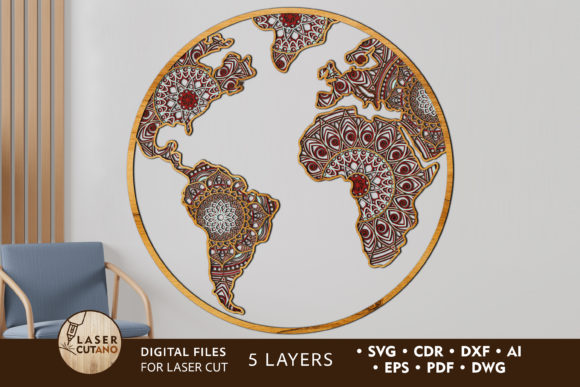
Layered Wall Decor: The most common application is creating depth through layering. By cutting multiple copies of the design from different colored materials—such as contrasting woods, acrylics, or painted MDF—users can create a shadow-box effect. When mounted on a wall with small standoffs or foam tape between layers, the interplay of light and shadow adds a dynamic quality to the piece that changes throughout the day.
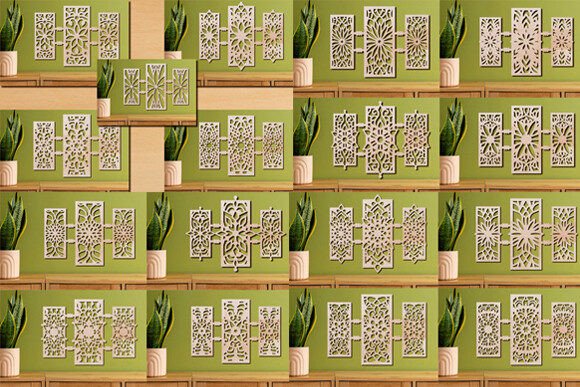
Room Dividers and Screens: Larger iterations of these designs can be scaled up to create semi-transparent room dividers. In open-plan living spaces, a laser-cut panel can define zones without blocking light or air flow. Using durable materials like plywood or metal, these screens become functional art pieces that enhance privacy while maintaining an airy aesthetic.
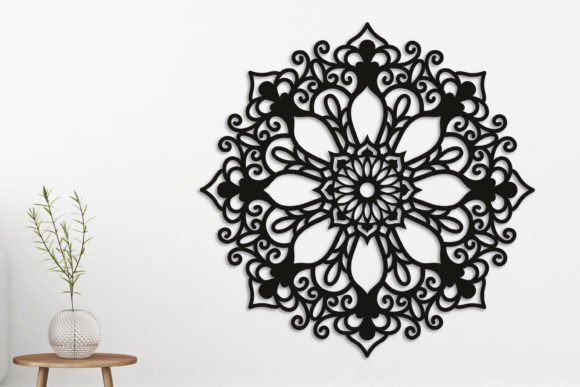
Lighting Fixtures: When backlit with LED strips, laser-cut panels transform into luminous art. The intricate cutouts allow light to filter through in complex patterns, casting mesmerizing shadows on surrounding walls. This is particularly effective with mandala designs, where the radial symmetry creates a calming, meditative ambiance.
Step-by-Step Implementation Guide
To achieve the best results with your Laser Cut Wall Art Panels Bundle, following a structured workflow is essential. Here is a practical approach to turning digital files into physical art:
- Preparation and Extraction: Begin by downloading the zip file to your computer. Extract all contents to a dedicated folder to keep your workspace organized. Review the included read-me files or instructions, which often specify recommended material thicknesses (e.g., 3mm or 1/8 inch) for optimal layering.
- Software Setup: Open your preferred laser cutting software. Import the vector file that corresponds to your machine’s compatibility. For most hobbyist machines, SVG or DXF files are the most universally accepted. Ensure that the scale is set correctly; a common mistake is importing a file at the wrong unit size (inches vs. millimeters), which can ruin the fit of layered pieces.
- Material Selection and Cutting: Choose your material based on the desired aesthetic. Wood veneers offer a natural, warm look, while acrylics provide a modern, glossy finish. Secure the material in your laser cutter and run a test cut on a scrap piece to verify power and speed settings. Once confirmed, proceed to cut each layer. If you are creating a multi-color piece, ensure you label each cut piece immediately to avoid confusion during assembly.
- Assembly and Finishing: Once all layers are cut, clean any charred edges with fine sandpaper if using wood. Stack the layers in the correct order as per the serial numbering provided in the bundle. Use strong adhesive, small nails, or invisible mounting tabs to secure the layers together. Finally, mount the completed piece on your wall using appropriate hardware for the weight of the material.
Tailoring the Approach to Your Needs
Different users will approach a Laser Cut Wall Art Panels Bundle with varying goals. A professional interior designer might use these files to create custom client installations, focusing on high-end materials like brass or stained hardwoods to match a specific color palette. In contrast, a hobbyist might use affordable plywood and paint the layers to match existing room decor, treating the project as a fun weekend activity.
For educators, these bundles can serve as excellent teaching tools for geometry and symmetry, allowing students to see mathematical concepts manifest in physical objects. Meanwhile, small business owners can utilize these designs to create inventory for craft fairs or online stores, leveraging the efficiency of digital files to produce consistent, high-quality products.
Regardless of your background, the key to success lies in experimentation. Do not be afraid to mix materials, adjust scales, or combine elements from different files within the bundle. The digital nature of these assets means you can iterate quickly and cheaply compared to traditional woodworking or metalworking.
Final Thoughts
A Laser Cut Wall Art Panels Bundle is more than just a purchase; it is an invitation to create. It democratizes access to sophisticated design, allowing anyone with access to a laser cutter to produce gallery-worthy art. By providing all necessary file formats and clear usage guidelines, these bundles remove the technical friction often associated with digital fabrication. Whether you are aiming to refresh your home environment, develop a new skill, or start a small creative business, these resources provide a solid foundation for innovation. With careful preparation and a bit of creativity, you can transform simple sheets of material into stunning, multidimensional works of art that reflect your unique style.